
What Are You Looking For?

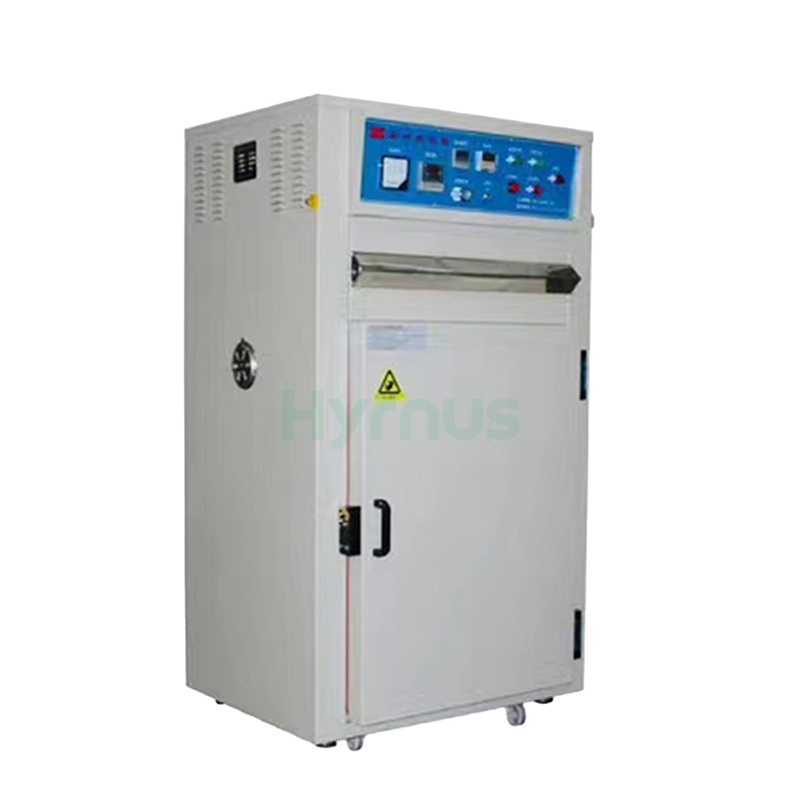
HY-LB200 Optoelectronic Drying Oven is designed for baking and drying electronic and hardware products at temperatures below 200°C. Equipped with PID temperature control, adjustable air circulation, timing settings, and multi-level over-temperature protection, it ensures stable and reliable operation. The stainless-steel chamber offers excellent durability and corrosion resistance, making the oven especially suitable for LED diodes, digital displays, backlights, and similar optoelectronic products.
Brand :
HYRNUSItem No. :
HY-LB200Order(MOQ) :
1 SetWarranty :
One-Year Warranty and Lifetime MaintenancePayment :
T/TLead Time :
7-35 DaysProduct Origin :
ChinaOptoelectronic Drying Oven for LED Diodes, Digital Tubes

Product Introduction
HY-LB200 Optoelectronic Drying Oven is elaborately designed and manufactured by drawing on the advantages of manufacturers from Taiwan. It is equipped with an electronic PID intelligent temperature controller for precise temperature control. All electrical components are imported or well-known brand products.
The oven supports adjustable timing from 0 to 999 minutes, and its control circuit is fitted with over-temperature alarm and power-off protection. Adopting a well-structured cabinet and adjustable air circulation system, it features space efficiency, energy saving, environmental friendliness and high performance. The exterior is finished with electrostatic spraying, while the inner chamber is made of stainless steel for long service life and rust resistance. It boasts an attractive appearance and easy maintenance.
This equipment is suitable for baking various hardware and electronic products at temperatures below 200℃. It works exceptionally well for LED diodes, digital tubes, backlights and similar products, delivering fast drying performance without glue cracking or bracket discoloration.
After continuous optimization, all electrical parts are now supplied by Chint. The multi-level protection circuit ensures stable operation and extends the service life of the equipment.
Technical Specifications
| No. | Description | Parameters |
| 1 | Rated Voltage / Frequency | 380V / 50Hz |
| 2 | Blower Power | 0.37 kW |
| 3 | Blower Speed | 1400 r/min |
| 4 | Heating Tube Power | 5 kW (1.2 kW × 4) |
| 5 | Temperature Control Range | Room Temperature ~ 200℃ |
| 6 | Timer Switch | 0–999 min adjustable (standard feature) |
| 7 | Overall Dimensions (L×W×H) | 800 × 770 × 1550 mm |
| 8 | Working Chamber Dimensions (L×W×H) | 600 × 640 × 900 mm |
| 9 | Net Weight | 150 kg |
Operating Instructions
| No. | Details |
| 1 | Install an isolating switch near the equipment to supply power. |
| 2 | Check that the mains voltage matches the equipment’s electrical specifications. |
| 3 | Connect the power supply as required, then turn the isolating switch to the ON position. |
| 4 | Check that the fan impeller is not rotating in reverse. |
| 5 | Turn the main power switch to the ON position. The power indicator will light up and the voltmeter will display 380V. |
| 6 | Turn the timer switch to the ON position. The timer indicator will light up and the timer will start counting. When the preset baking time (e.g., 30 minutes) expires, the unit will shut down automatically. To restart, turn the timer switch off and then on again. |
| 7 | Turn the fan switch to the ON position. The blower indicator will light up and the blower will start operating. |
| 8 | Turn the heating switch to the ON position. The heating indicator will light up, the temperature controller will display the current temperature, and the ammeter will show the operating current. The ammeter will reset once the set temperature is reached. |
| 9 | Temperature Setting: |
| (1) Press the function key to enter setting mode. | |
| (2) Press the up key to increase the temperature; the SP display will show the set value. | |
| (3) Press the down key to decrease the temperature; the SP display will show the set value. | |
| (4) Press the function key again to confirm the setting. The oven will enter normal operation. | |
| 10 | Set the over-temperature alarm. Since the sensor is located near the heating tubes, it is recommended to set the alarm 10℃ higher than the controller setpoint. When the temperature exceeds the alarm value, the buzzer will sound and the entire unit will shut down. |
Product Details
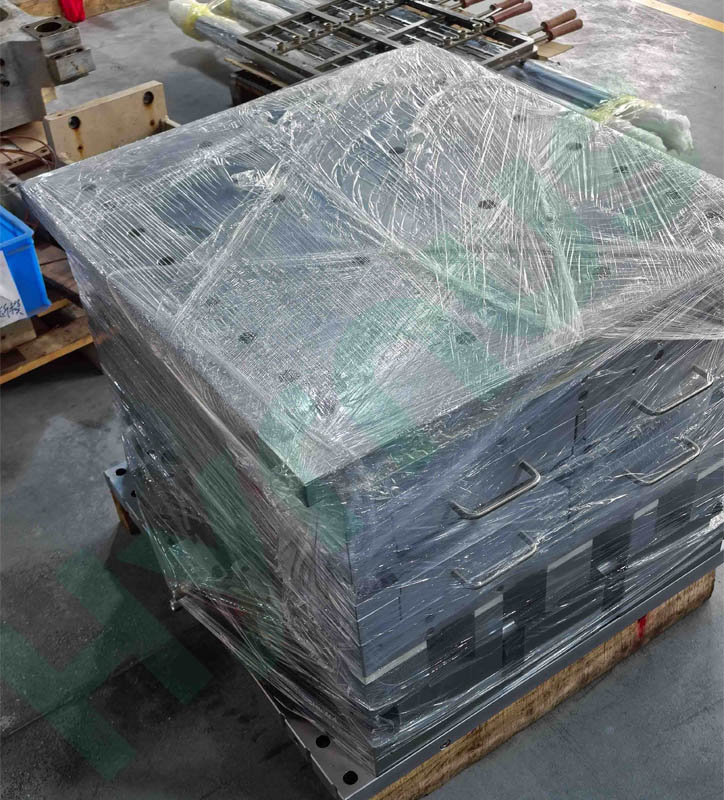
HY-PM23 MGP plastic molding die is customized for SOT23-20R semiconductor packaging. It is equipped with 6 mold boxes; each mold box holds 2 lead frames, with a total of 12 lead frames per full mold. All mold boxes and internal components are fully interchangeable and feature a quick disassembly and replacement structure.
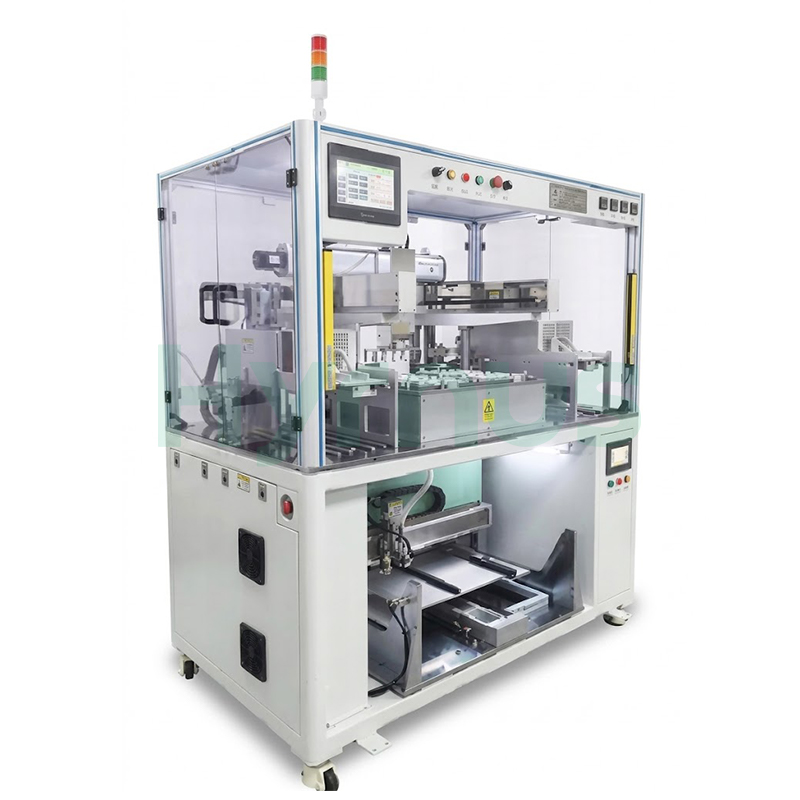
HY-AU400 is an integrated machine serving as professional auxiliary equipment for IC plastic molding molds. It realizes automatic lead frame preheating and molding compound pellet arrangement. Fitted with robotic arms and multi-point temperature control, it adapts to all IC packaging varieties, reduces manual contamination, lifts production efficiency, and supports optional MES system networking.
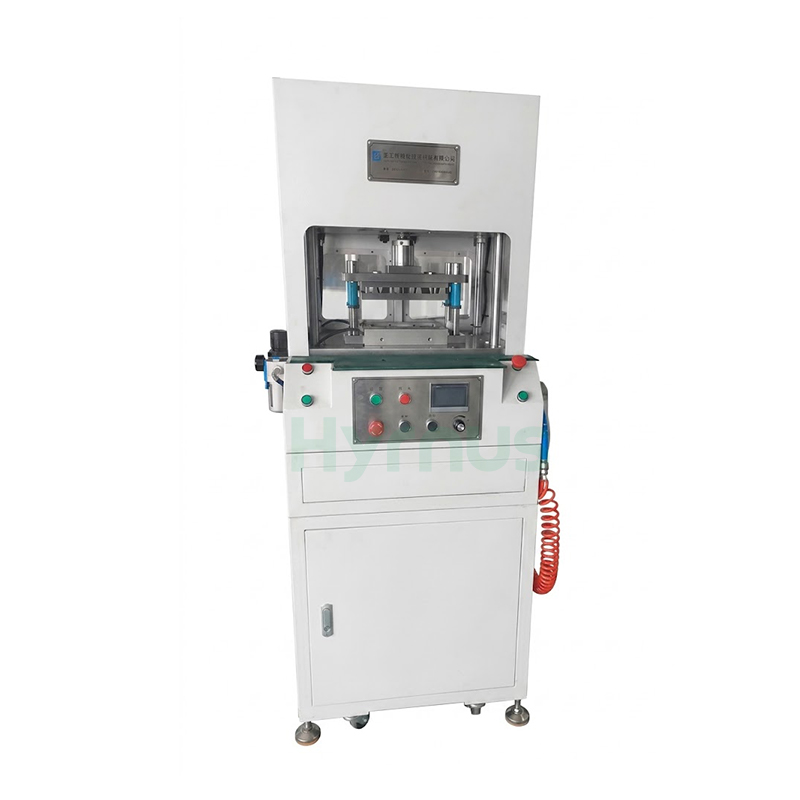
HY-MF300 is auxiliary equipment for plastic packaging molds, capable of one-time removing runner and gate residual flash for all IC packages. Equipped with Mitsubishi/Yonghong PLC control and full safety interlocks including light curtain, door sensor, E-stop and two-hand buttons, it delivers stable performance and universal compatibility for all semiconductor packaging production lines.
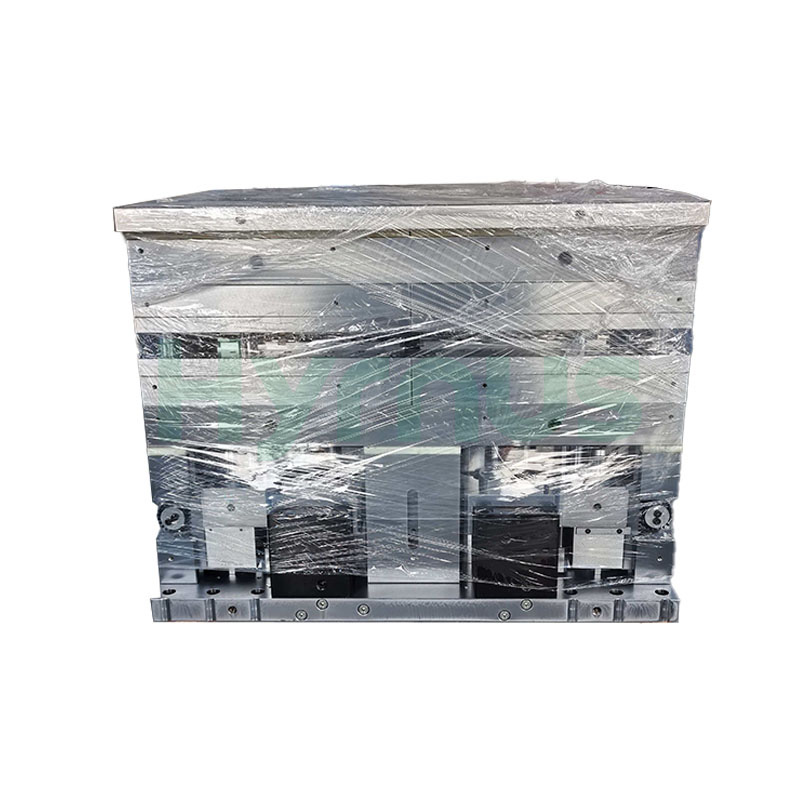
HY-PM252-6R Molding is a high-precision molding mold designed for TO252-6R package products. The mold features a universal mold base capable of accommodating 6 mold boxes with quick mold box change design, utilizing a bottom-to-top multi-pot injection design driven by four built-in high-temperature-resistant, leak-proof hydraulic cylinders with a balanced injection head drive plate.
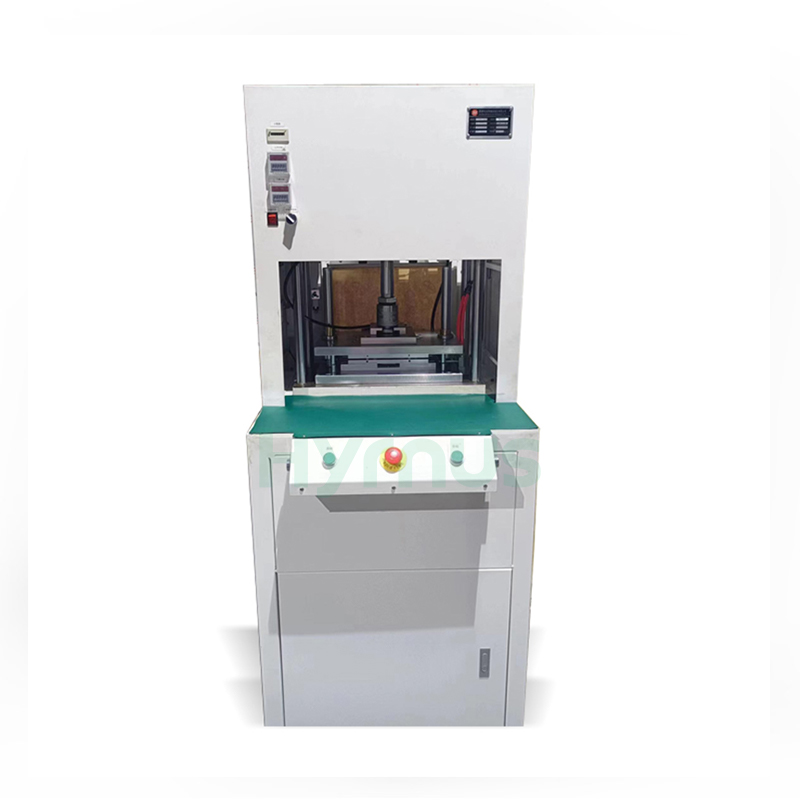
The HY-GD001/HY-GD803/HY-GD001A Automatic Degating Machine is designed for removing gates and runners from molded semiconductor leadframes. It combines precise punching, automatic air blowing and waste collection, while the mistake-proof mold and safety light curtain ensure reliable and safe operation.
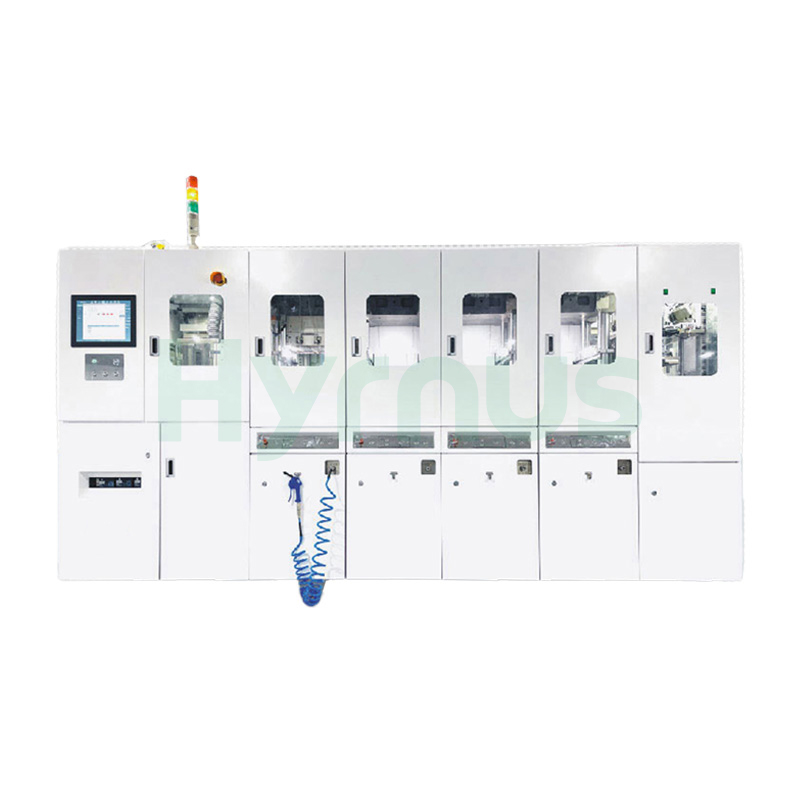
HY-PS8120 Molding System is a fully automatic molding system designed for semiconductor packaging, supporting a wide range of package types including SOT, SOP, TOLL, TO, QFN, DFN, and BGA.
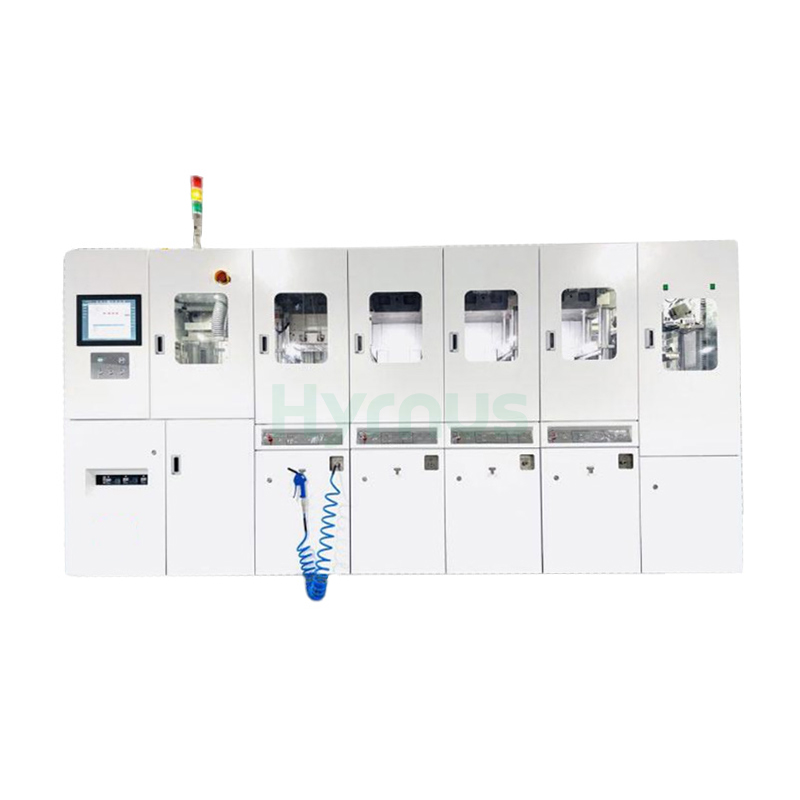
HY-PS8180 Fully Automatic Semiconductor Molding System is designed for efficient encapsulation of ICs and power devices, ensuring stable quality and reliable protection.
leave a message
Scan To Wechat :

Scan To WhatsApp :